 Helpcentre
The Inspection Parameters are the codes and their descriptions the user will selected from the pop-up lists when they create or edit an Inspection or Calibration Request within the Quality Management System.
Insp/Cal Type - this code is used to describe the type of investigation required for a piece of equipment or tool.
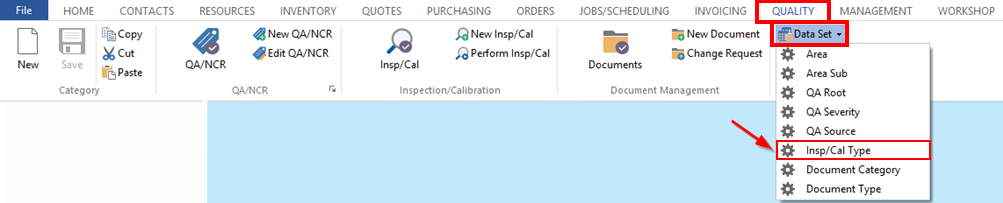
To Set-Up the Codes and Descriptions
From the OPTO ribbon, click on the ‘Quality’ tab then select ‘Insp/Cal Type’ from the drop menu (circled above) to bring up the ‘Inspection Type’ window. Click in the Code field and type in a code, press <TAB> to advance to the Description field and type in a description and press <F9> to save.
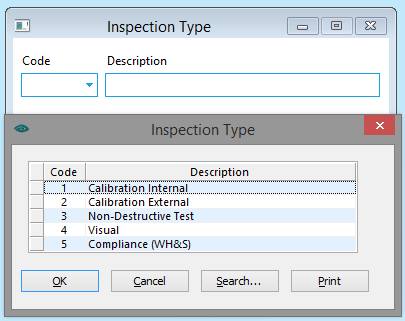
Repeat this process as necessary to create the Inspection Codes.
Opto Software Pty LtdRevised 02/08/2018