 Helpcentre
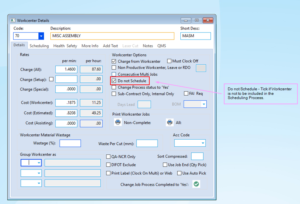
Excluding a Workcenter from the Scheduling Process: Where you need to exclude a Workcenter from the scheduling process, e.g. where it may be used for miscellaneous activity that occurs on a random basis, you have the capability of excluding it from the scheduling process by activating a Workcenter parameter as indicated below.
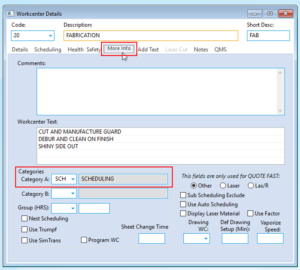
Including a Workcenter in the Workcenter Availability Report: The Workcenter Availability Report, allows you to see what hours are available by Workcenter by day as part of the management of job scheduling. To have a Workcenter included in the list on the Workcenter Availability Report, you will need to have the ‘Category A’ filed flagged as ‘SCH’, as indicated below.
Opto Software Pty LtdLast Revised: 04/09/2019