 Helpcentre
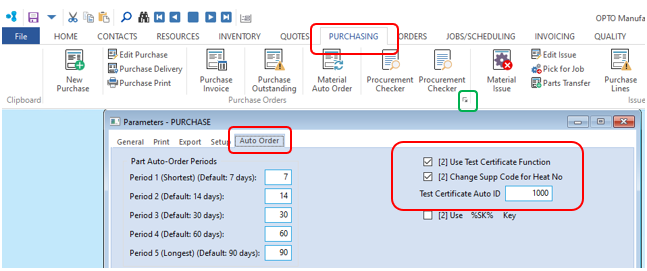
Overview This document describes the process for setting up and using the Lot/Heat Number Function of OPTO for material deliveries. Set-Up Open the PURCHASING tab and click on the little icon circled in green in the screen shot below to open the ‘Parameters - PURCHASE’. In the parameters window click on the ‘Auto-Order’ tab and check the tick boxes for ‘Use Test Certificate Function’ and ‘Change Supp Code for Heat No’. Enter the ‘Test Certificate Auto ID’ starting number, this is an internal reference number given to each delivery of a material requiring a certificate.
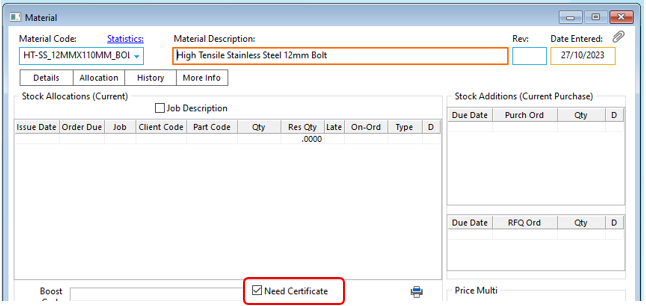
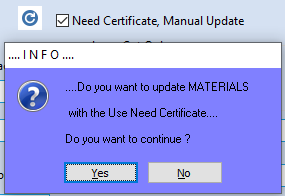
Materials can be set individually to require a Lot Number by checking the ‘Need Certificate’ tick box in the ‘Allocation’ tab of the material record.
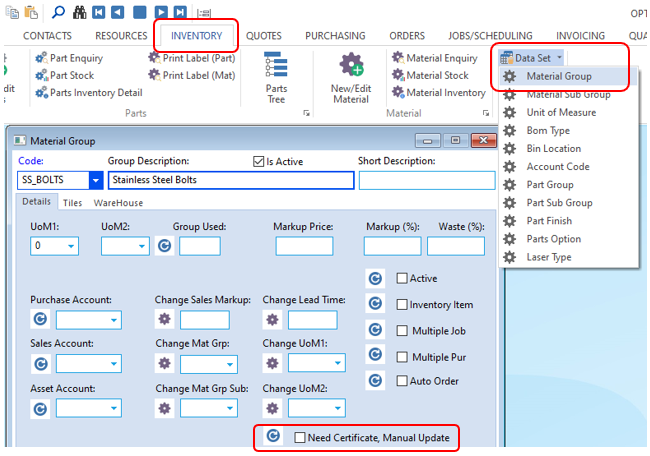
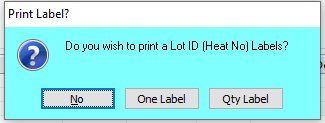
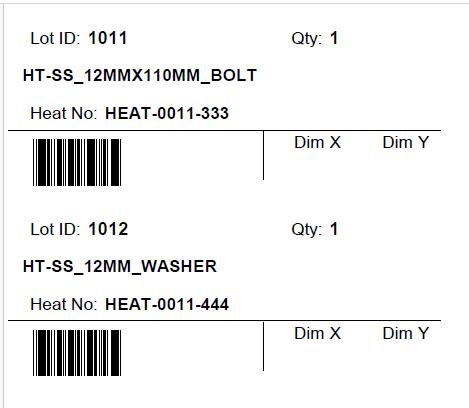
Select the quantities for the label – either one label per material code or a label for the quantities for each material code.
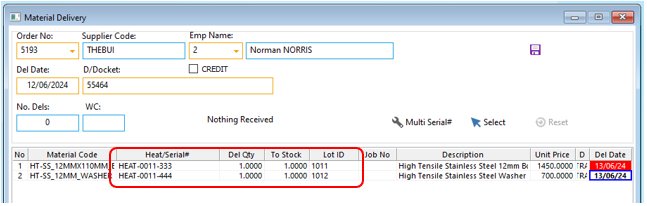
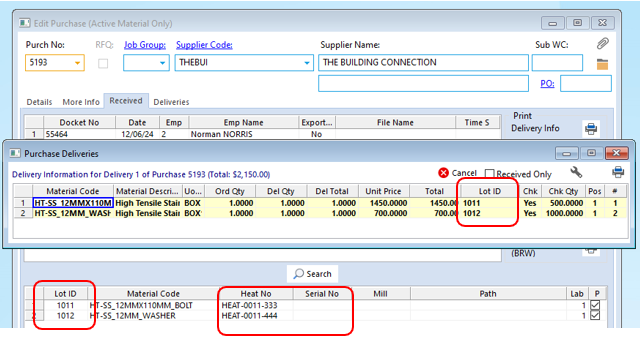
Open the purchase order and you will see the Lot ID and Heat and/or Serial No. recorded on the purchase order and also the delivery
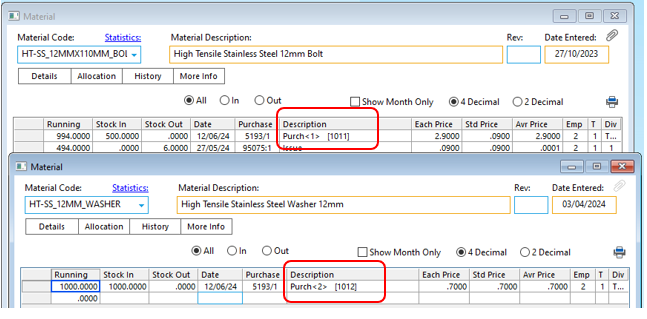
The Lot ID is also recorded on the history tab of the material code for the purchase delivery
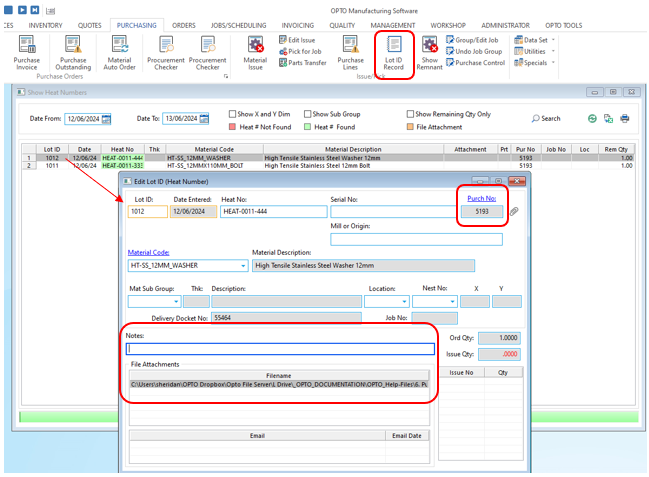
A material’s heat number can be checked or changed by opening the ‘Lot ID Record’ window and double clicking on the heat number to open the record. The purchase order is linked to this record for easy referencing and file attachments and notes can also be saved here.