 Helpcentre
Overview Opto provides valuable insights directly to your inbox on a daily, weekly, and monthly basis. The setup of receiving those reports is simple but needs to be configured per user as below. Before the users are being added to the distribution list, it needs to be ensured that the e-mail in their employee profile is correct. You can find the relevant email address in the Employee menu:
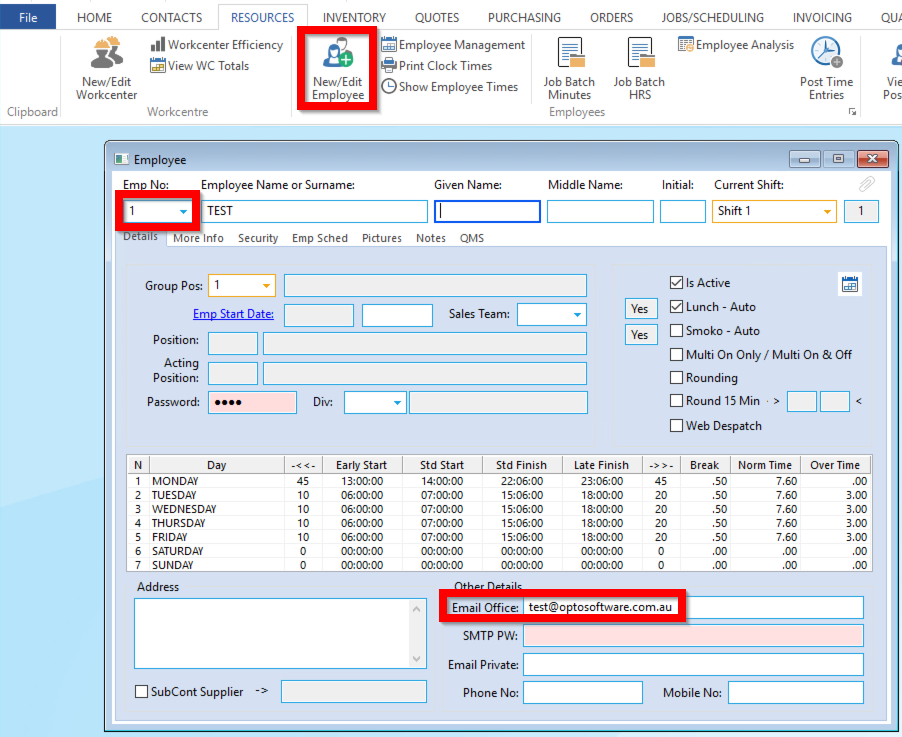
SETUP Go to Administrator and Daily Email Param:

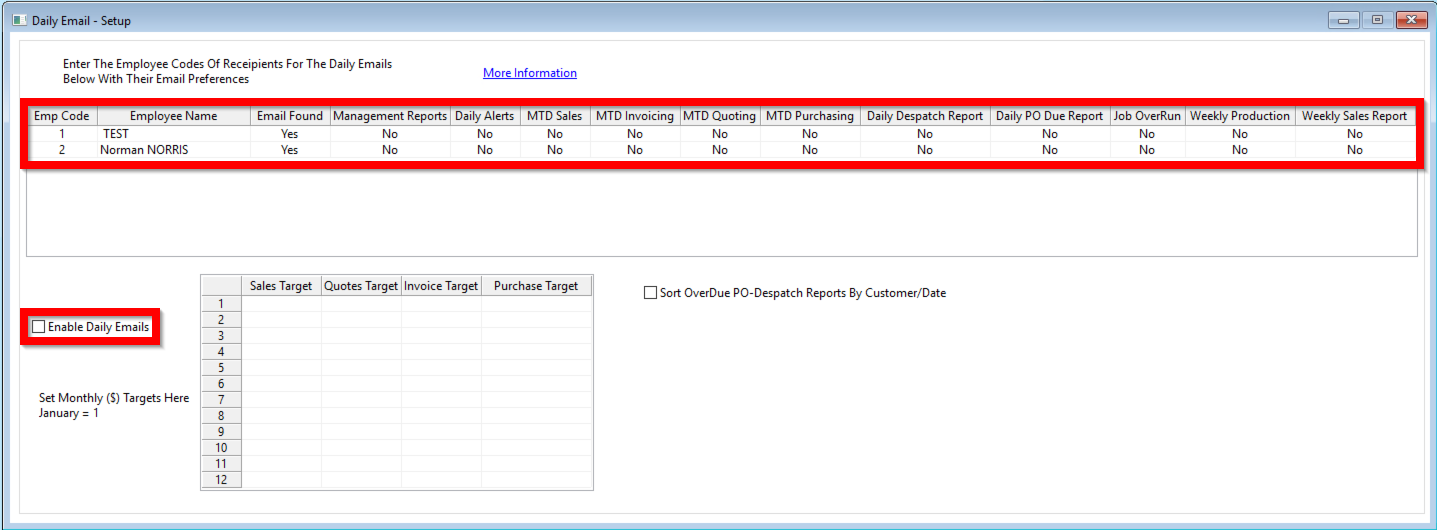
When you have Enabled the Distribution of Reports by ticking Enable Daily Emails, enter the Employee Codes into the most left column to create a new row for that employee. You can then decide which reports the according user should receive on a daily/weekly/monthly basis:
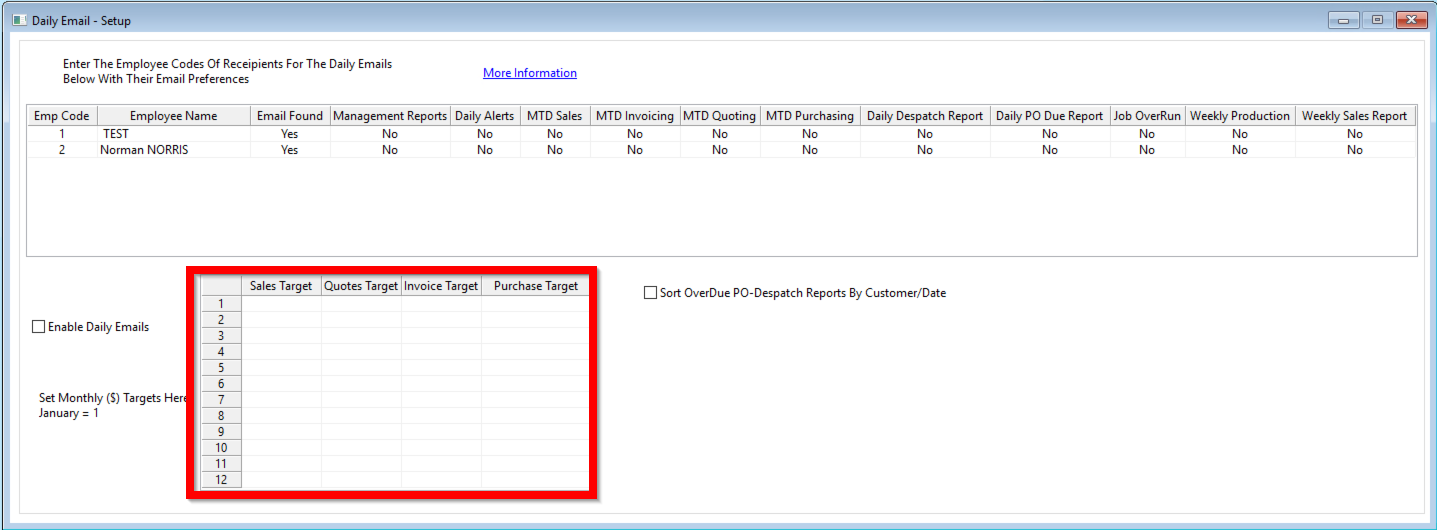
The bottom part of the window allows for configuration of the targets that the current numbers should be compared to in the reports:
The columns in the above table correspond to the according report: Management Reports: Monthly Billings and Backlog as well as customer ranking/analysis by - Dispatch Value - Average Profit - Year to Year sales change - Overview of Bookings Please see documentation for detailed weekly report description: Monthly Opto Email Report Daily Alerts - Overdue Sales Orders Report - Overdue Factory Orders Report - Overdue Purchase Orders Report - Current Order Overview MTD Sales: Month to Date Sales Orders MTD Invoicing: Month to Date Invoicing MTD Quoting: Month to Date Quotes MTD Purchasing: Month to Date Purchasing Daily Despatch Report: Orders that are due to be Despatched today Daily PO Due Report: Purchase orders that are due to be delivered today Please see documentation for detailed daily report description: Daily Opto Email Report Job OverRun: Sales and Factory order summary Weekly Production: Workcenter Requirements for order dues this week Weekly Sales Report: Last Week Employee Sales Performance Please see documentation for detailed weekly report description: Weekly Opto Email Report As soon as the employee has been added, they will start receiving the report via email the next day/week/month.