
Export invoices to MYOB
Open the INVOICING tab on the Opto ribbon and click on the ‘Export – MYOB’ icon to display the MYOB – Cloud window.
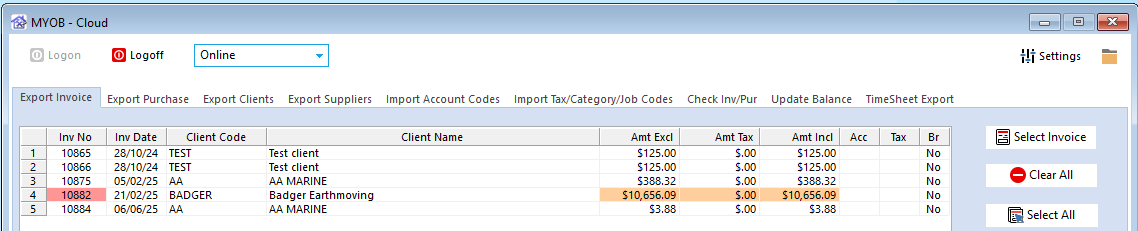
On the Export Invoice tab, and click the Select Invoice icon to generate the window.
- An Orange entry indicates that the invoice has a zero value
- A Red entry indicates that the Client has no MYOB export name
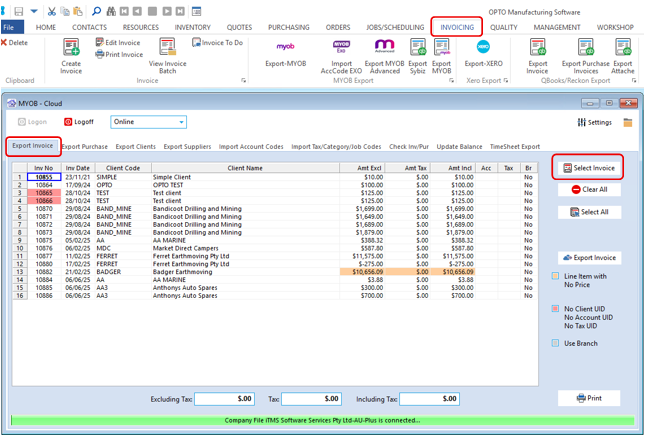
Click on the Select All icon or select the required Invoices by clicking anywhere on the line of the invoice and then click on the Export Invoice icon to begin the export process.

The export process runs through and will return any invoices that have errors. Check the export logs for the errors and fix. Repeat process to finish the export.
Opto Software Pty Ltd
Revised: 09/06/2025


